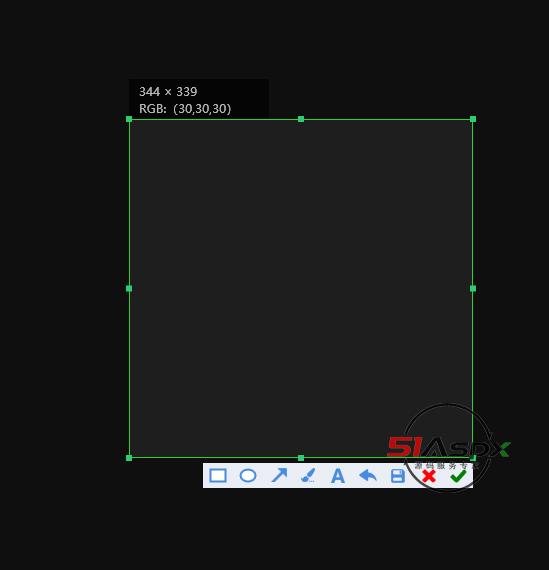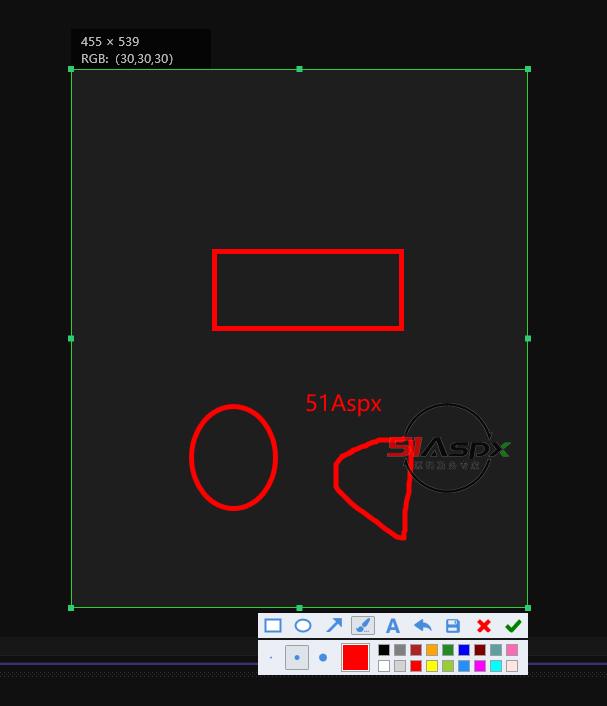



项目文件结构 项目介绍 下载记录(6) 项目讨论(0) bin Debug ComeCapture.exe[286KB] ComeCapture.exe.config[184B] ComeCapture.pdb[163KB] Controls ArrowTool.cs[5KB] EllipseTool.cs[2KB] ImageEditBar.cs[3KB] KeyboardTextBox.cs[1KB] LineTool.cs[2KB] MainImage.cs[24KB] RectangleTool.cs[2KB] SizeColorBar.cs[7KB] TextBoxControl.cs[3KB] TextTool.cs[3KB] ToolButton.cs[4KB] ZoomThumb.cs[1KB] Converters ColorConverter.cs[603B] SizeConverter.cs[678B] ToolConverter.cs[582B] Helpers ImageHelper.cs[2KB] RelayCommand.cs[2KB] ScreenHelper.cs[1KB] WpfHelper.cs[559B] Models AppModel.cs[4KB] Direction.cs[299B] EntityBase.cs[1KB] Limit.cs[902B] Tool.cs[326B] obj Debug TempPE Themes Generic.baml[16KB] .NETFramework,Version=v4.6.1.AssemblyAttributes.cs[214B] .NETFramework,Version=v4.8.AssemblyAttributes.cs[210B] App.g.cs[2KB] App.g.i.cs[2KB] ComeCapture.csproj.AssemblyReference.cache[8KB] ComeCapture.csproj.CoreCompileInputs.cache[42B] ComeCapture.csproj.FileListAbsolute.txt[2KB] ComeCapture.csproj.GenerateResource.cache[84B] ComeCapture.exe[286KB] ComeCapture.g.resources[171KB] ComeCapture.pdb[163KB] ComeCapture.Properties.Resources.resources[180B] ComeCapture_MarkupCompile.cache[388B] ComeCapture_MarkupCompile.i.cache[386B] ComeCapture_MarkupCompile.i.lref[394B] ComeCapture_MarkupCompile.lref[392B] DesignTimeResolveAssemblyReferencesInput.cache[7KB] GeneratedInternalTypeHelper.g.cs[7B] GeneratedInternalTypeHelper.g.i.cs[2KB] MainWindow.baml[3KB] MainWindow.g.cs[8KB] MainWindow.g.i.cs[8KB] Properties AssemblyInfo.cs[2KB] Resources.Designer.cs[2KB] Resources.resx[5KB] Settings.Designer.cs[1KB] Settings.settings[195B] Resources cut.ico[66KB] showyou.png[29KB] 保存.png[1KB] 后退.png[1KB] 笔刷.png[1KB] 箭头.png[14KB] 设置.png[1KB] Themes Generic.xaml[29KB] 51Aspx源码必读.txt[1KB] App.config[184B] App.xaml[367B] App.xaml.cs[321B] ComeCapture.csproj[5KB] MainWindow.xaml[2KB] MainWindow.xaml.cs[8KB] ComeCapture.sln[1KB] from.jpg[11KB] 最新Asp.Net源码下载.url[123B] 项目介绍 项目参数 项目类别:【课程设计】 项目类型:C/S 适合人群: 菜鸟 授权类型:免费版 完整度: 可二次开发程度: 开发语言:C# 数据库:无数据库 文件大小:293KB 相关网址: 【免费浏览】 一、源码描述 WPF实现的简版Snipaste截图工具 环境:VS2022 WPF 二、功能介绍 ctrl+F5进入截图状态,esc可取消。 1、可以画箭头 2、可以画矩形 3、可以写文字 4、支持取消操作 5、可将截图保存到本地。 三、注意事项 ctrl+F5运行即可。 责任编辑:超级美少女 举报项目 下载记录(Only Recent 100) 用户名 推荐指数 下载时间 AI 点评内容由 AI 根据项目资料生成,仅供参考 项目评论 请输入验证码 评论列表 全部评论 暂无评论 …
商家其他项目 MVC校医室管理系统(ASP.NET MVC源码) 免费 06-01 MVC校医室管理系统(ASP.NET CORE MVC源码) 免费 06-01 MVC酒店管理系统4 免费 05-20 最近更新 项目 商业 下载排行 周 月 总 最新评论 Silverlight网络游戏飞行岛2.0源码 hina5***06-10 不知道怎么玩... 微信在线报名培训系统源码 qiany***06-03 你好,能开通演示一下吗... 微信在线报名培训系统源码 qiany***06-03 你好,能开通演示一下吗... 控者算命网源码 yfbhd***05-25 太贵了??... 雨田ASP.NET SIGNALR WEB在线聊天室 qq346***04-28 请问,该聊天室在服务器上架设好就可以在电脑浏览器上打开使用吗?... 更多...