README.md
(开头部分) 3KB
这里只显示每个文件的开头 60 行。登录后可以解锁完整代码。
[](https://github.com/SeriaWei/ZKEACMS/actions/workflows/build.yml)
# ZKEACMS Build With .Net 6
ZKEACMS is a visual design, **WYSIWYG** Content Management System.
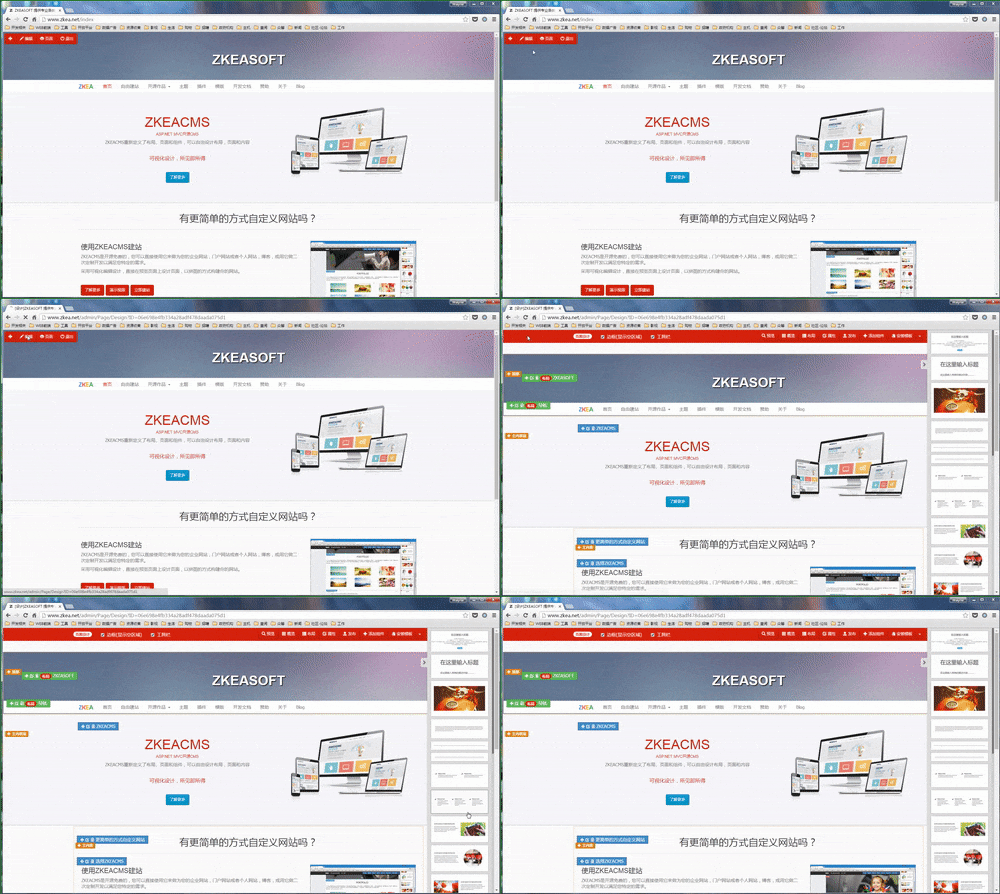
## Page Design
## Add Content To Page
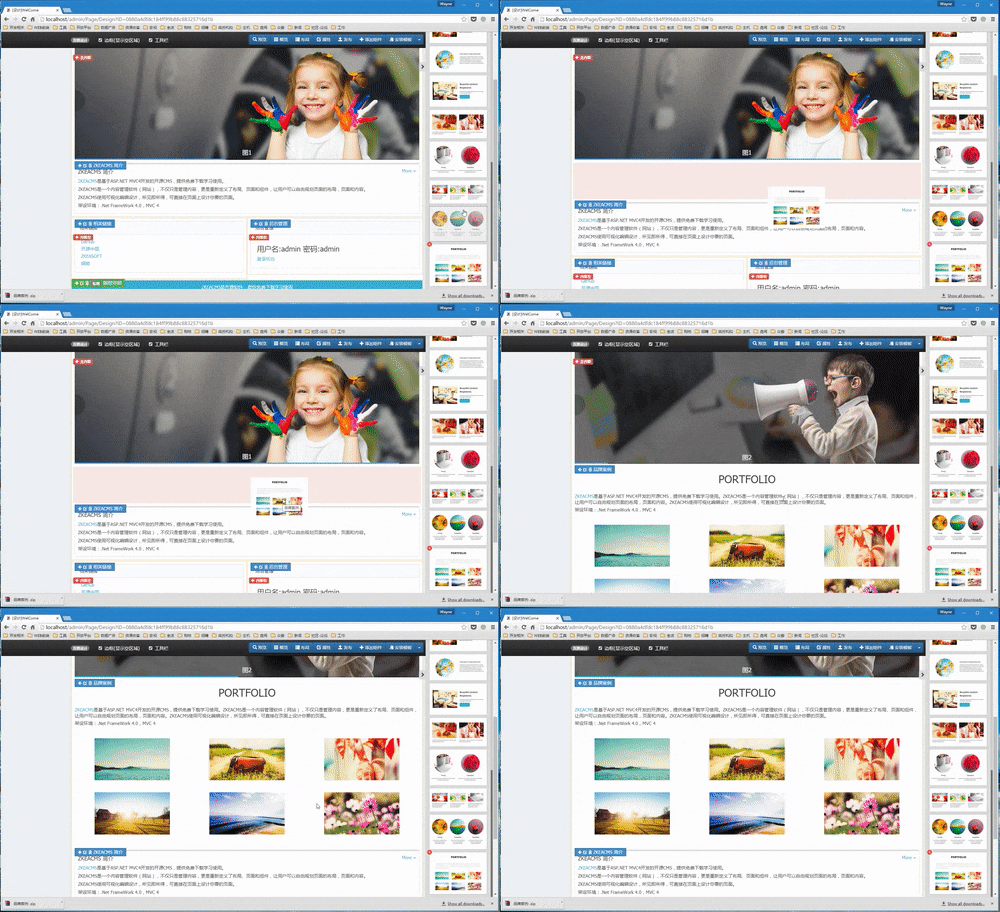
**Get Started**
[http://www.zkea.net/zkeacms/videos/view/zkeacms-quick-start.html](http://www.zkea.net/zkeacms/videos/view/zkeacms-quick-start.html)
## Demo Site
Try it on our demo site:
[http://demo.zkea.net](http://demo.zkea.net)
**Create Page**
How to create a new page:
[http://www.zkea.net/zkeacms/videos/view/create-page.html](http://www.zkea.net/zkeacms/videos/view/create-page.html)
**Multi-tenant demo**
http://build.zkeasoft.com/
## Culture
Change the culture code to `en-US` to use english in `appsettings.json`
```
"Culture": {
"Code": "en-US"
}
```
## Publish / Release
|Nuget|Version|
|---|---|
|ZKEACMS.Publisher|[](https://www.nuget.org/packages/ZKEACMS.Publisher)|
Use `Publish.cmd` or `Publish.sh` to publish the project.
You can also use the command line below to publish:
```
$ dotnet tool install -g ZKEACMS.Publisher
```
```
$ ./src/ZKEACMS.WebHost/publish-zkeacms
```
## Publish width runtime
```
$ ./src/ZKEACMS.WebHost/publish-zkeacms -r win-x64
```
## Run on Docker
https://hub.docker.com/r/zkeasoft/zkeacms
```
后面还有 62 行代码,解锁后查看完整代码
24 小时内免费解锁 3 个项目,之后 1 算力/个。 规则说明
AI 解读 AI
登录后可用,每次 10 算力,解读结果公开显示在下面。
还没有人解读过这个文件。
 微信安全登录